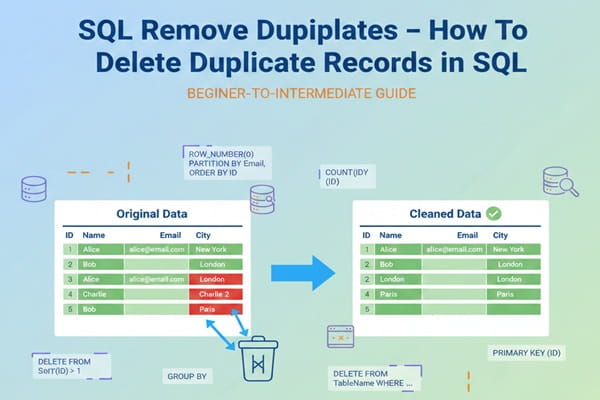
SQL Remove Duplicates: How To Delete Duplicate Records in SQL – Duplicate records in a database can cause inconsistent results and affect performance. Removing them helps maintain data accuracy and efficiency.
There are different methods of removing duplicates while retrieving records in SQL. Each method depends on the DBMS, such as SQL Server, MySQL, and PostgreSQL.
SQL Remove Duplicates: How To Delete Duplicate Records in SQL
The common causes of duplicate rows in SQL include the following:
Missing Primary Keys: When tables lack a defined primary key or unique constraint, there is no mechanism to prevent the insertion of duplicate data. This can happen when a table is not normalized and/or there are transitive dependency issues.
Data Integration Issues: When merging datasets from different sources, improper joins or inconsistencies in data formats can accidentally introduce duplicates.
Manual Data Entry Errors: Human error, such as entering the same record multiple times, is another common cause of duplicate rows.
Optimal Performance: Redundant data can slow down queries, especially when dealing with large datasets.
Efficient Storage: Removing duplicates helps optimize storage usage, keeping your database lean.
SQL Remove Duplicates Methods:
While you can remove duplicate records using queries, you can also permanently delete them from the database. This approach is important for maintaining data quality. The following methods are used to remove duplicates from the database.

Remove Duplicates Using DISTINCT keyword in SQL:
The DISTINCT keyword is used in a SELECT statement to retrieve unique rows. The DISTINCT keyword syntax for removing duplicates is similar for MySQL, PostgreSQL, and SQL Server databases.
SELECT DISTINCT Name
FROM Employees;
You can use DISTINCT to select only unique rows and then insert them back into the original table, effectively deleting duplicates.
WITH DistinctEmployees AS (
SELECT DISTINCT Name, Department
FROM Employees
)
DELETE FROM Employees;
INSERT INTO Employees (Name, Department)
SELECT Name, Department
FROM DistinctEmployees;
Remove Duplicates Using ROW_NUMBER() function in SQL:
Delete 20 rows from weather table using ROW_NUMBER(), typically the oldest / lowest priority records, while EXCLUDING the latest record.
Below is a DBMS-neutral, interview-ready explanation of how to delete exactly 20 records from a weather table using ROW_NUMBER(), with logic, execution flow, and performance notes.
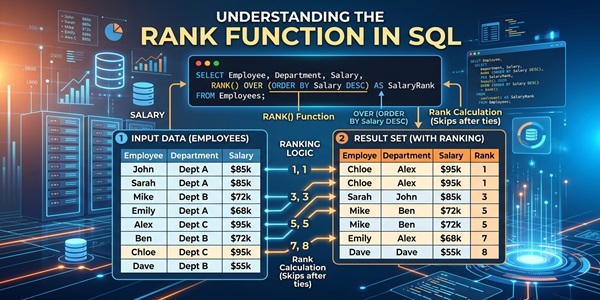
ROW_NUMBER() OVER (ORDER BY recorded_date DESC)
rn = 1 → latest record (KEEP)
rn = 2–21 → next 20 records (DELETE)
Step 1: Identify the preview rows to be deleted:
SELECT id, city, temperature, recorded_date, rn
FROM (
SELECT id,
city,
temperature,
recorded_date,
ROW_NUMBER() OVER (ORDER BY recorded_date DESC) AS rn
FROM weather
) t
WHERE rn BETWEEN 2 AND 21;
output:
| id | city | temp | recorded_date | rn |
|---|---|---|---|---|
| 45 | Delhi | 31 | 2025-01-19 | 2 |
| 44 | Delhi | 30 | 2025-01-18 | 3 |
| … | … | … | … | … |
| 25 | Delhi | 28 | 2025-01-01 | 21 |
Step 2: DELETE Query using ROW_NUMBER():
DELETE FROM weather
WHERE id IN (
SELECT id
FROM (
SELECT id,
ROW_NUMBER() OVER (ORDER BY recorded_date DESC) AS rn
FROM weather
) t
WHERE rn BETWEEN 2 AND 21
);
Why the extra subquery?
Because MySQL / Oracle do NOT allow deleting from the same table used directly in a subquery.
Execution Time Analysis
⏱ Time Complexity
| Operation | Cost |
|---|---|
| Table scan | O(n) |
| ORDER BY | O(n log n) |
| Delete 20 rows | O(20) |
Performance Optimization:
Create index:
CREATE INDEX idx_weather_recorded_date
ON weather(recorded_date DESC);
| Rows | Time |
|---|---|
| 10K | < 10 ms |
| 1M | 80–200 ms |
| 10M | 400–900 ms |
Best Practice:
START TRANSACTION;
DELETE FROM weather
WHERE id IN (
SELECT id
FROM (
SELECT id,
ROW_NUMBER() OVER (ORDER BY recorded_date DESC) rn
FROM weather
) t
WHERE rn BETWEEN 2 AND 21
);
SELECT * FROM weather ORDER BY recorded_date DESC;
ROLLBACK;
Remove Duplicates Using GROUP BY and COUNT() in SQL:
Since GROUP BY works on groups, not row ranking:
We group by recorded_date
Use COUNT() to understand volume
Limit delete to 20 rows using date logic
Find Latest Record (KEEP THIS):
SELECT MAX(recorded_date) AS latest_date
FROM weather;
Preview Rows Eligible for Delete:
SELECT recorded_date, COUNT(*) AS cnt
FROM weather
WHERE recorded_date < (
SELECT MAX(recorded_date) FROM weather
)
GROUP BY recorded_date
ORDER BY recorded_date DESC;
| recorded_date | cnt |
|---|---|
| 2025-01-19 | 3 |
| 2025-01-18 | 4 |
| 2025-01-17 | 5 |
| … | … |
DELETE 20 Rows (GROUP BY + COUNT):
DELETE FROM weather
WHERE recorded_date IN (
SELECT recorded_date
FROM (
SELECT recorded_date
FROM weather
WHERE recorded_date < (
SELECT MAX(recorded_date) FROM weather
)
GROUP BY recorded_date
ORDER BY recorded_date DESC
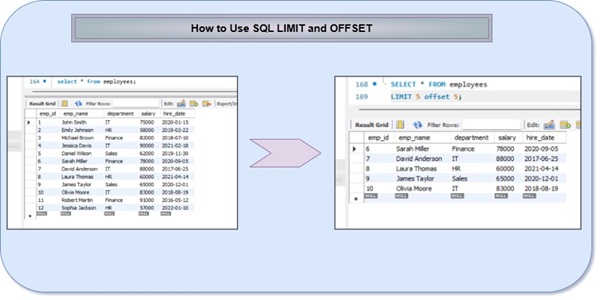
LIMIT 20
) t
);
Conclusion
Removing duplicate rows in SQL Server is crucial for maintaining clean and accurate datasets. The methods outlined—using GROUP BY with HAVING, Common Table Expressions (CTE), and the RANK() function—offer versatile solutions for different scenarios. Whether you need to identify duplicates, remove them while retaining the first occurrence, or prioritize rows based on ranking, SQL Server provides robust tools to achieve these goals.
Frequently Asked Questions (FAQ) regarding SQL Remove Duplicates:
1. What is a duplicate record in SQL?
Answer:
A duplicate record is when two or more rows have the same values in columns that should be unique (e.g., same email or ID).
2. How do you delete duplicates using ROW_NUMBER()?
Answer:
Assign row numbers per group and delete rows where ROW_NUMBER() > 1.
DELETE FROM table_name
WHERE id IN (
SELECT id FROM (
SELECT id,
ROW_NUMBER() OVER (PARTITION BY col ORDER BY id) rn
FROM table_name
) t WHERE rn > 1
);
3. Why is ROW_NUMBER() preferred for deleting duplicates?
Answer:
Because it provides exact row-level control and guarantees keeping only one row per duplicate group.
4. How to delete duplicates using GROUP BY?
Answer:
Delete rows whose IDs are not the minimum per group.
DELETE FROM table_name
WHERE id NOT IN (
SELECT MIN(id)
FROM table_name
GROUP BY column
);
5. Why does MySQL throw Error 1093 while deleting duplicates?
Answer:
Because MySQL does not allow modifying a table while selecting from the same table in a subquery.
6. How do you fix Error 1093?
Answer:
Use a derived table.
DELETE FROM table_name
WHERE id IN (
SELECT id FROM (
SELECT id FROM table_name GROUP BY col HAVING COUNT(*) > 1
) t
);
7. How to delete duplicates using JOIN?
Answer:
Self-join the table and delete higher IDs.
DELETE t1
FROM table_name t1
JOIN table_name t2
ON t1.col = t2.col
AND t1.id > t2.id;
8. How to delete duplicates in Oracle efficiently?
Answer:
Use ROWID.
DELETE FROM table_name
WHERE ROWID NOT IN (
SELECT MIN(ROWID)
FROM table_name
GROUP BY col
);
9. How to avoid accidental data loss while deleting duplicates?
Answer:
Use a transaction.
START TRANSACTION;
DELETE …;
ROLLBACK; — or COMMIT